Description
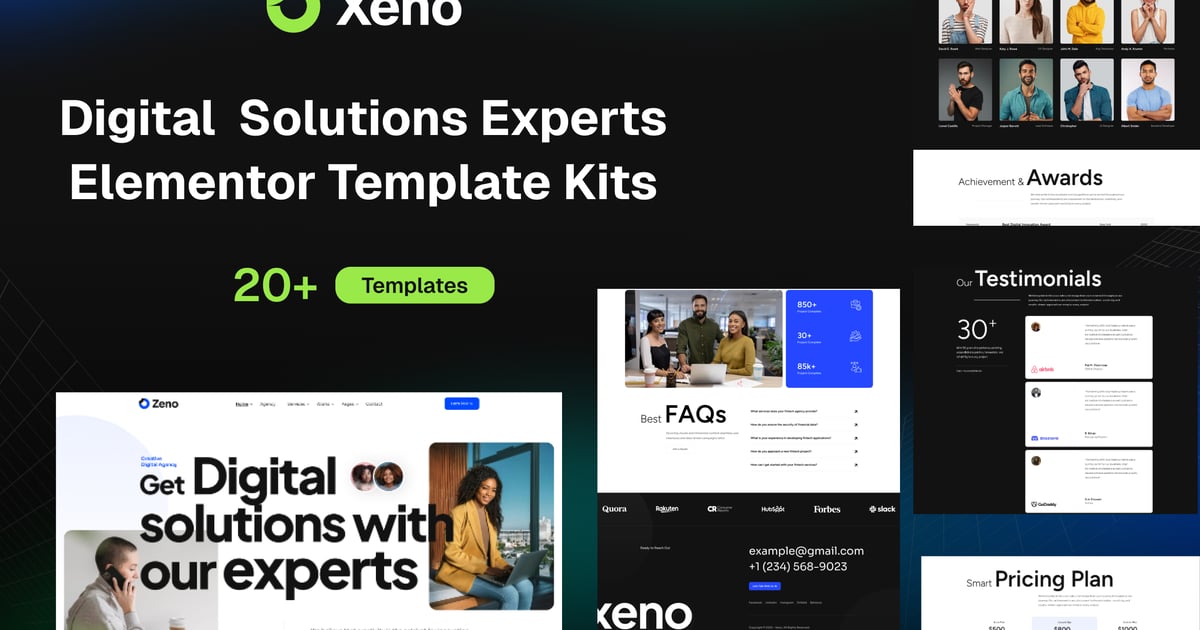
Xeno – Digital Solutions Experts Elementor Template Kits is a sleek and modern template designed specifically for startups, tech companies, SaaS platforms, digital agencies, and entrepreneurs. Built with Elementor & Hello Theme, GSAP animations, and clean, semantic code, Zeno is your perfect front-end foundation for building stunning, high-converting websites with ease. With multiple unique homepages and carefully crafted inner pages, Xeno provides flexibility and performance in a lightweight, developer-friendly package. Whether you’re launching a new product, promoting a service, or growing your brand, Zeno helps you do it in style.
This template is easily customizable, fully responsive, and supports all modern browsers and devices.
Features :
- 20+ Ready-to-use templates
- Modern Layout and Clean Design
- Built with Elementor Free Version (Pro is not required)
- 100% Responsive & Mobile-Friendly
- No Coding Knowledge Required
- Easy & Fully Customizable
- Cross Browser Compatibility: Chrome, Firefox, Safari, Opera
Page & Section Templates :
- Global Kit Style
- Home
- About
- Services
- Service Details
- Pricing Plan
- Projects
- Project Details
- Our Team
- Faqs
- Contact
- 404
- Header
- Footer
- Contact Form
- Section – Page Title
- Section – About
- Section – Pricing
- Section – Services
- Section – Testimonials
- Section – Contact
- Section – Team
- Section – FAQ
Required Plugins(All are Free):
- Elementor
- ElementsKit Lite
- Elextra Widgets for Elementor
- Sticky Header Effects for Elementor
- MetForm
### How to Use Template Kits:
This is not a WordPress Theme. Template kits contain the design data for Elementor only and are installed using the envato Template Kit Import plugin for WordPress or directly through Elementor.
Detailed Guide:
https://help.market.envato.com/hc/en-us/articles/36033428836889-How-to-Upload-Install-Elementor-Template-Kits-from-Themeforest-to-WordPress
For further support, go to Elementor > Get Help in WordPress menu.
Setup Global Header and Footer
- Import the header and footer template
- Go to ElementsKit > Header Footer, select Header and click Add New
- Give it a title, leave Entire Site selected, and toggle Activation to On
- Click the template title and Edit Content
- Click the gray folder icon and select the header template to import and update
- Repeat for Footer
How to Import MetForm Custom Form:
- While editing a page where a form should appear, open the Elementor navigator to locate the Metform widget.
- Click Edit Form in the builder panel.
- Select New, leave blank selected, then click the Edit Form button.
- Click ‘Add Template’ grey folder button.
- Click ‘My Templates’ tab.
- Choose your imported MetForm template, then click ‘Insert’.
- Once the template is loaded, click ‘Update’.
Notes
This template kit utilizes demo images from Envato Elements. You will need to license these images from Envato Elements to use on your website, or you can substitute them with your own.
- [https://elements.envato.com/collections/EQDWFG2HSK](https://elements.envato.com/collections/EQDWFG2HSK)